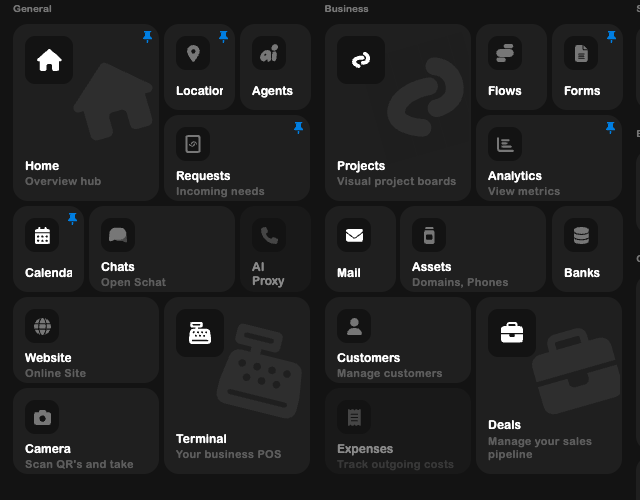
Workspace map
The SRVZr workspace is a collection of focused tools connected by one persistent sidebar. Each destination owns a different part of the operating loop: attract work, organize it, deliver it, and learn from what happened.
The AI assistant works across supported tools. Describe what you need, use the relevant page as context, and review the result. The AI guides provide practical requests for everyday business work.
This guide is the visual index for the whole sidebar. Open a category to see what each page is for, when to use it, and what the live screen looks like.
| Area | What it covers | Guide |
|---|---|---|
| General | Daily navigation, people, communication, and intake | General tools |
| Business | Operations, automation, data, and reporting | Business tools |
| Services & commerce | Services, rentals, inventory, invoices, and payments | Services & commerce |
| Events & spaces | Events, layouts, menus, and displays | Events & spaces |
| Servo workspace | Robots, stints, simulators, policies, and training | Servo workspace |
| Other tools | Files, integrations, settings, snippets, and discovery | Other tools |
| Creative tools | Canvas and writing/document surfaces | Creative tools |
How to use the map
- Start with the category that matches the job you are doing.
- Use the screenshot to orient yourself in the current UI.
- Follow the short “Use it when” note before opening the page in the app.
The sidebar can be reordered and filtered by the app’s Auto, Recent, and Custom modes. Beta destinations may only appear for accounts with access.